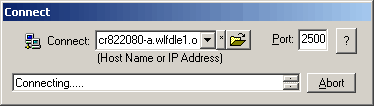
To Connect:
(Option 1)
- Make sure you are connected to network.
- The word 'Ready' is shown in the status bar.

- Click 'File' - 'Connect' or click the first button. You will
see the following.
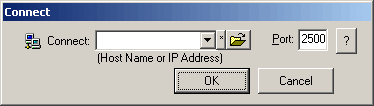
- Enter IP address or hostname and check the port value that match with
remote user.
*Note* Hostname may or may not equivalent to
computer name (NetBIOS).
- Hit 'OK' and wait for remote user response.
*Note* If remote user turn off the Auto
Accept Connection, you have to wait forever until he/she responses.
(i.e. User is away.)
*Note* If you enter Port not correctly, the program will try the successive
numbers for the port value.
(Option 2)
- Make sure you are connected to network.
- The word 'Ready' is shown in the status bar.
- Click 'File' - 'Connect' or click the first button. You will
see the following.
- Click the Folder button. It will pop up a Net View window.
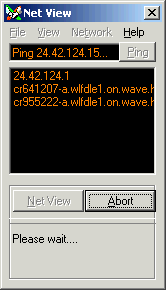
- Double an address. Net View windows will be closed. And it will try to
connect to that address.