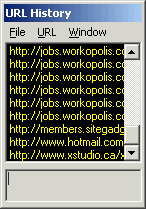
| URL History |
x Chat can capture any website address while you type, paste or drag a URL address to window. Moreover, it can capture any incoming URL too.
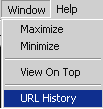
Remember to open URL History from chat main window or system tray icon.
| Add URL |
Click URL and Add URL and URL Description.
Drag and drop a single URL to the windows, enter description in the box below and press Enter to save.
Any URL added to the list will not be sorted and repeated URL will not be added to the list. You can edit each URL with a description, remove some URLs that are not useful and save them to a file.